Time in.
Invoice out.
A native Mac timer that stays out of your way, shows where your week went, and turns tracked hours into reports for your team and invoices for your clients.

Most trackers stop at the timer.
Ayron carries each entry through reports, profitability, and the invoice — without leaving the app.
Stays out of your way. Every hour, accounted for.
From the menu bar to the invoice — track, understand, and bill without leaving Ayron. iPhone and iPad come along with Live Activity, in sync as you move.
Always one keystroke from a running clock.
Idle detection, command palette, voice timer, AppIntents and Shortcuts. The timer lives where your work happens.
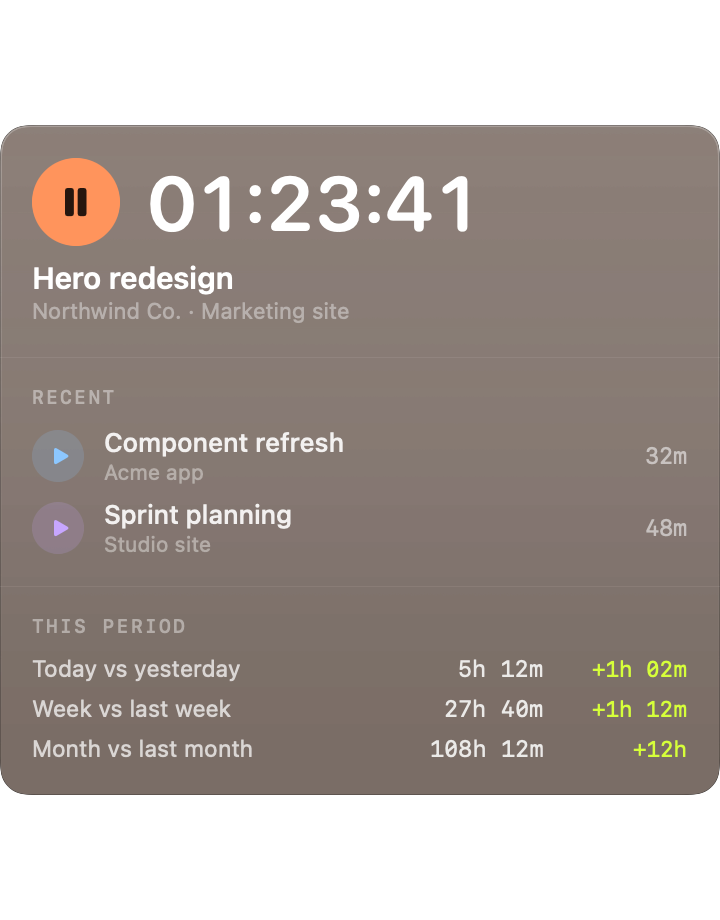
AI that explains where your week went.
Weekly and monthly summaries roll your entries into clients and projects, explain what changed, and suggest what to charge.
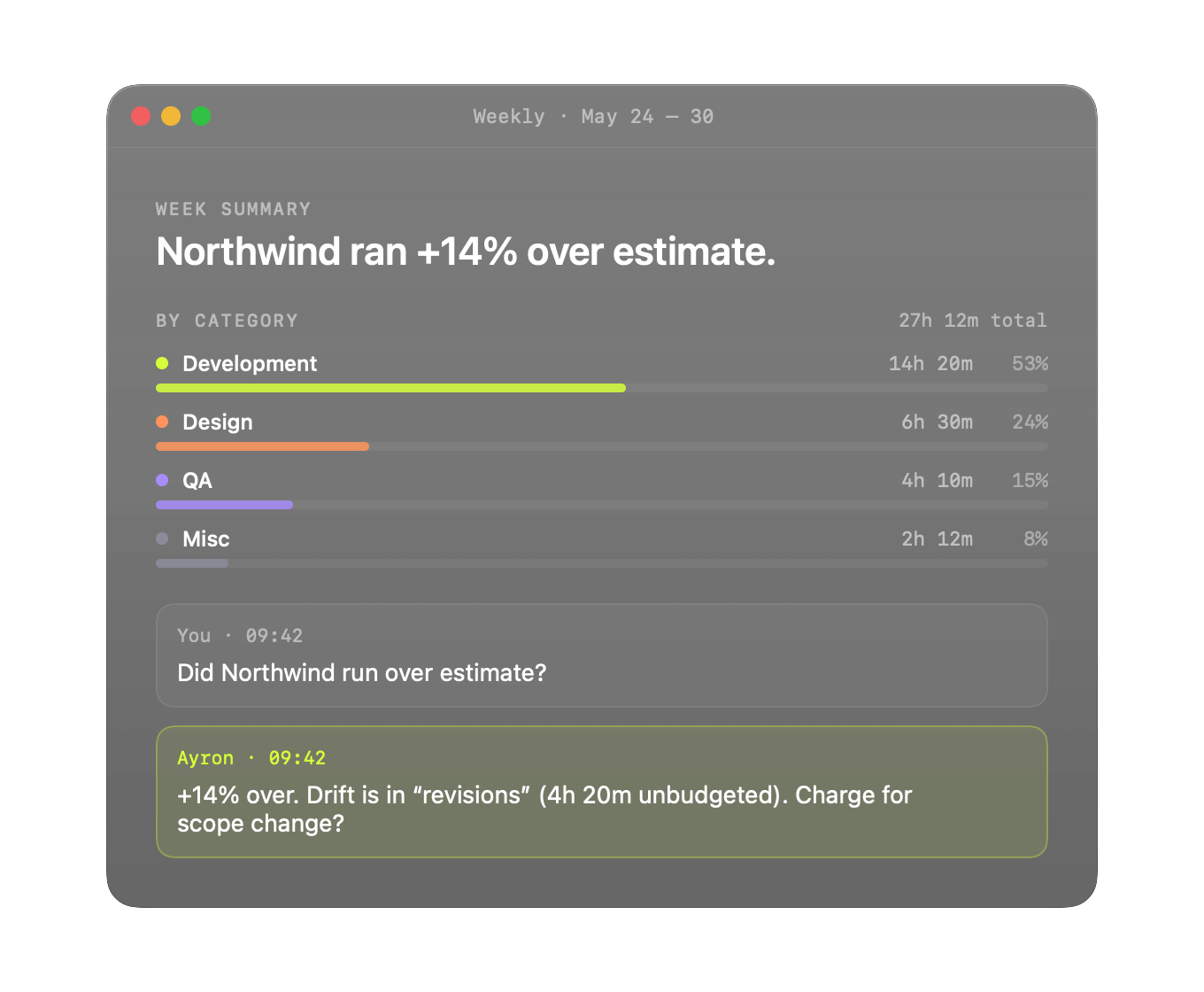
Margin tracking that catches scope creep.
Compare every estimate to actual hours and cost as the project runs. See which work is profitable and where scope crept.
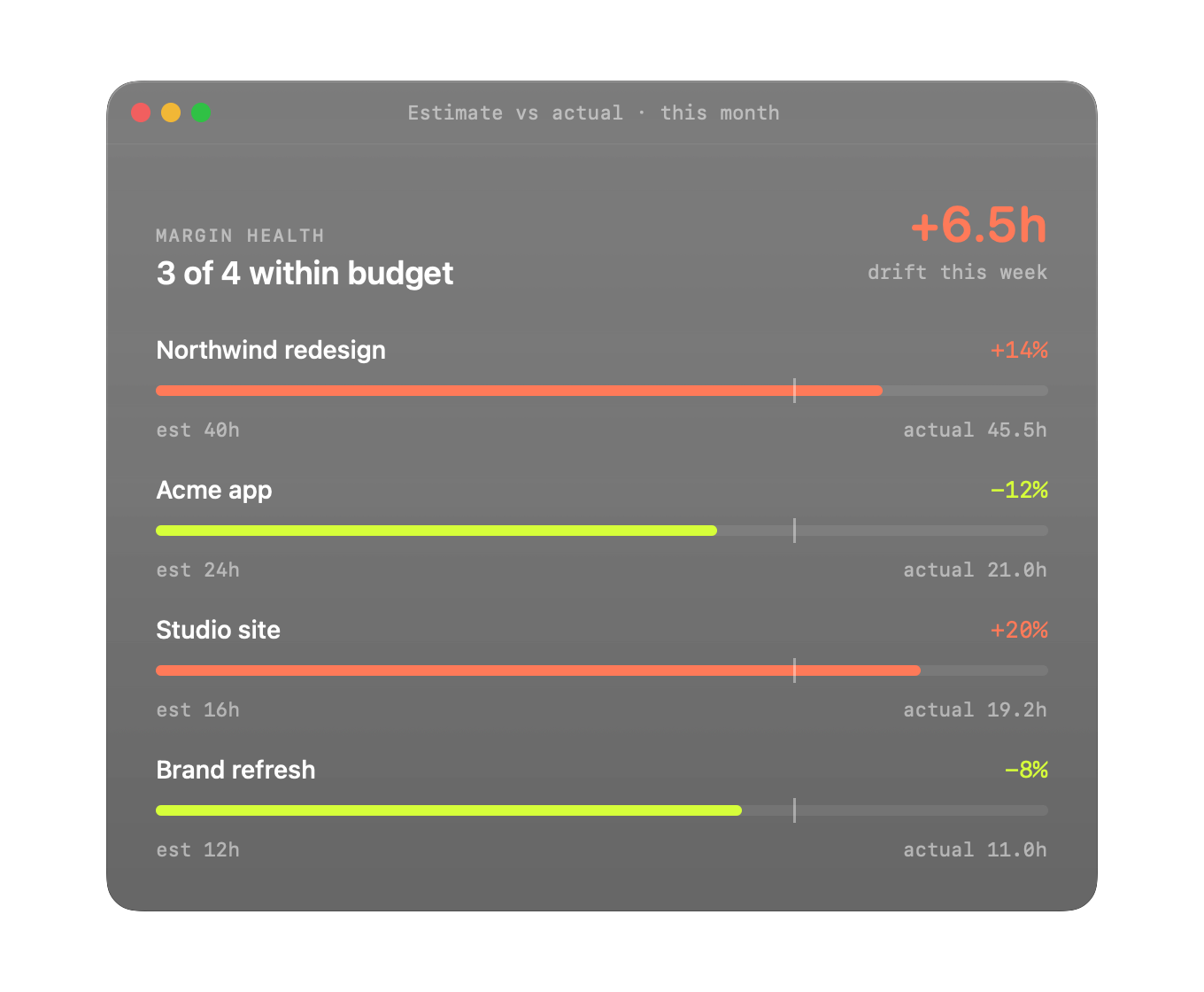
Tracked hours → Sent → Paid.
Select billable entries, pick a client, send — and let them pay through Stripe right from the invoice. Status flips to Paid the moment the charge clears. Your branding, your domain, no chasing.
AI you don't pay for twice.
Pro bundles the weekly reads, the chat companion that answers questions about your tracked hours, and the voice timer — at one price. No separate AI tier, no per-seat intelligence surcharge, no swivel-chairing to a chatbot to make sense of your week.
Mac, iPhone, iPad, web — in sync.
Your work follows you. Pick it up at the desk, glance at it on the train, finish it on the couch — same timer, same projects, same numbers.
Roles, rates, shared reports.
Owner, admin, member — each with the right level of access. Your clients, projects, and history come with you when the team grows.
Send time where your team already works.
Push entries into Slack, Notion, Sheets, Airtable — or anywhere else — via Zapier and raw webhooks.
Track. Analyze. Bill. One app, end to end.
Track.
Start the timer from wherever you work — main window, menu bar, voice, or Shortcuts. Offline-first, idle-aware, and never watching your screen.
Analyze.
AI summaries roll your entries into client and project totals. See drift against estimates, what changed week over week, and where your hours actually went.
Bill.
Select billable entries, pick a client, send. Ayron drafts the branded PDF, emails from your domain, and accepts payment through Stripe.
One price. The whole product.
Free is generous. Pro unlocks everything else. Team adds shared workspaces and roles. Switch any time.
Not sure which plan fits?Compare every feature across plansHide full comparison
Questions we get — and a few we expect.
If something here doesn't answer it, the comparison posts and docs go deeper.
No. We don't capture screenshots, log keystrokes, or run background screen monitoring. Activity timeline capture (window titles, app focus) is opt-in per workspace and can be disabled in Settings → Privacy & Automation.
Yes. macOS and iOS use SwiftData as the local source of truth. Entries created offline queue up and reconcile when you reconnect, and sub-second realtime sync resumes once you're online.
Reports run server-side through our backend. We send the minimum context needed per request; nothing is used for model training. The voice timer parses common phrases on-device first and only escalates to the model when intent is ambiguous.
Free covers tracking, exports, and sync on Mac and iOS — 1 user, 3 clients, 5 projects, 200 entries/month, 90-day history. Pro ($9/mo annual) unlocks unlimited capacity, AI reports + chat, voice, estimate-vs-actual, and invoicing. Team ($12/user/mo) adds roles, shared reports, and team invoicing.
Yes. CSV and PDF exports are on every tier, and you can delete a workspace at any time from Settings.
Both are in active development and listed as Soon on the pricing comparison. At launch, Ayron is macOS plus iOS Universal (iPhone + iPad with Live Activity). Your data is keyed to a single account, so the day they ship, your workspace is already there.
Those are web-first or Electron with no AI. Ayron is native SwiftUI on macOS and iOS, with AI reports, voice, and invoicing in the same app — no integration hop to send a bill or summarize a week.
Timing is the closest native-Mac competitor but has no invoicing, no team plan that matches studio workflows, and gates AI to its top tier. Ayron includes AI at Pro, ships invoicing in the same app, and runs on iPhone and iPad with Live Activity — Timing is Mac-only.
Yes. The workspace model is the same on Free and Pro as on Team, so moving from solo to a studio is changing your plan, not rebuilding your clients and projects.
Yes, on Pro and Team. PDFs use your branding and emails send from your address.
Yes. Connect Stripe once in your workspace integrations and every emailed invoice includes a pay link. When the charge clears, status flips to Paid automatically — no manual reconciliation, no chasing.
Your hours,
accounted for.
Track, understand, and bill — without leaving Ayron. Free to start, Pro free for 14 days.